Phrackery Level 1: The Serial Sitting in Plaintext
| Series | Phrackery Crackmes |
| Level | 1 of 18 |
| Binary | crackme1 |
| Architecture | x64 |
| Goal | find serial |
| Primary tool | strings, ImHex |
The binary takes a serial key as a command-line argument. Run it without one and it prints the usage, then exits. Give it the wrong serial and you get [FAILED] Invalid serial. Give it the right one and it prints the flag.
This is the first level in the series. The serial sits in the binary in plaintext, and the binary even tells you where to look for it.
Tools
- strings - pulling readable text out of the binary
- ImHex - locating the serial in the binary’s data section
Initial Reconnaissance
First move is always file. It tells you what you’re actually dealing with before you touch anything else.
$ file crackme1
crackme1: ELF 64-bit LSB executable, x86-64, version 1 (GNU/Linux),
statically linked, BuildID[sha1]=64d1e4160f2709df5692ad7f0312b20a5fd6205,
for GNU/Linux 3.2.0, stripped
 64-bit ELF, statically linked, stripped. all library code is baked in, symbol table is gone
Statically linked means all library code is baked into the binary. Stripped means the symbol table is gone. Both make disassembly noisier. Next, strings with a grep for anything that looks like program output.
$ strings crackme1 | grep -iE "enter|serial|key|pass|flag|correct|wrong|hint"
Find the correct serial key!
Usage: %s <serial_key>
[SUCCESS] Correct serial!
Flag: CTF{BASE1C_R3V3RS1NG}
[FAILED] Invalid serial.
Hint: The serial is hardcoded in the binary. Try using strings command or a hex editor.
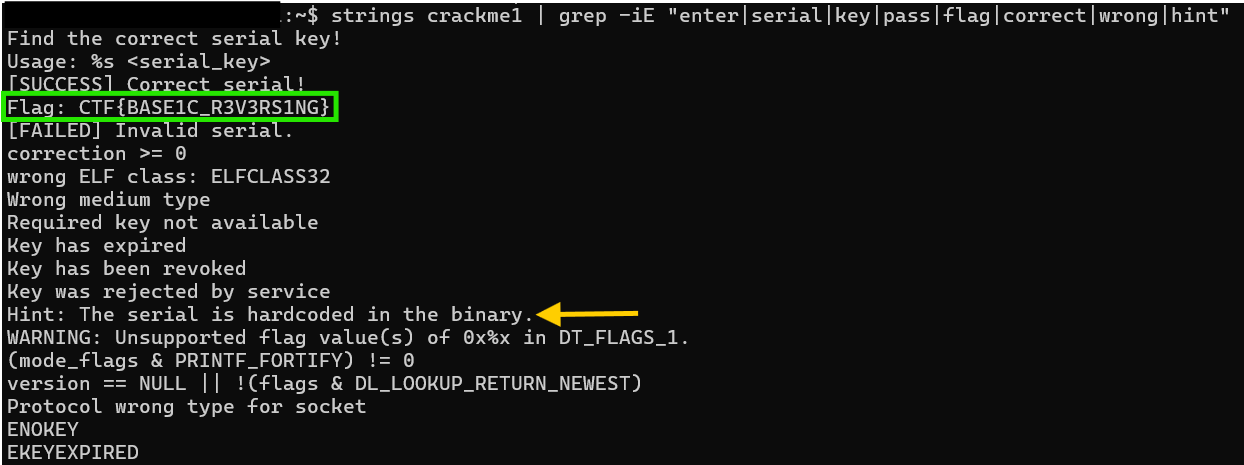 the flag is visible, and the binary includes an explicit hint pointing toward strings and a hex editor
Note: The flag appears in
stringsoutput because the binary prints it after a successful run. Passing it as the argument fails.
Static Analysis
The hint says to use a hex editor, so that is the next step. Opening the binary in ImHex and searching for “serial” in the strings view shows a cluster of related entries. The serial sits just above the user-facing messages at offset 0x8700E.
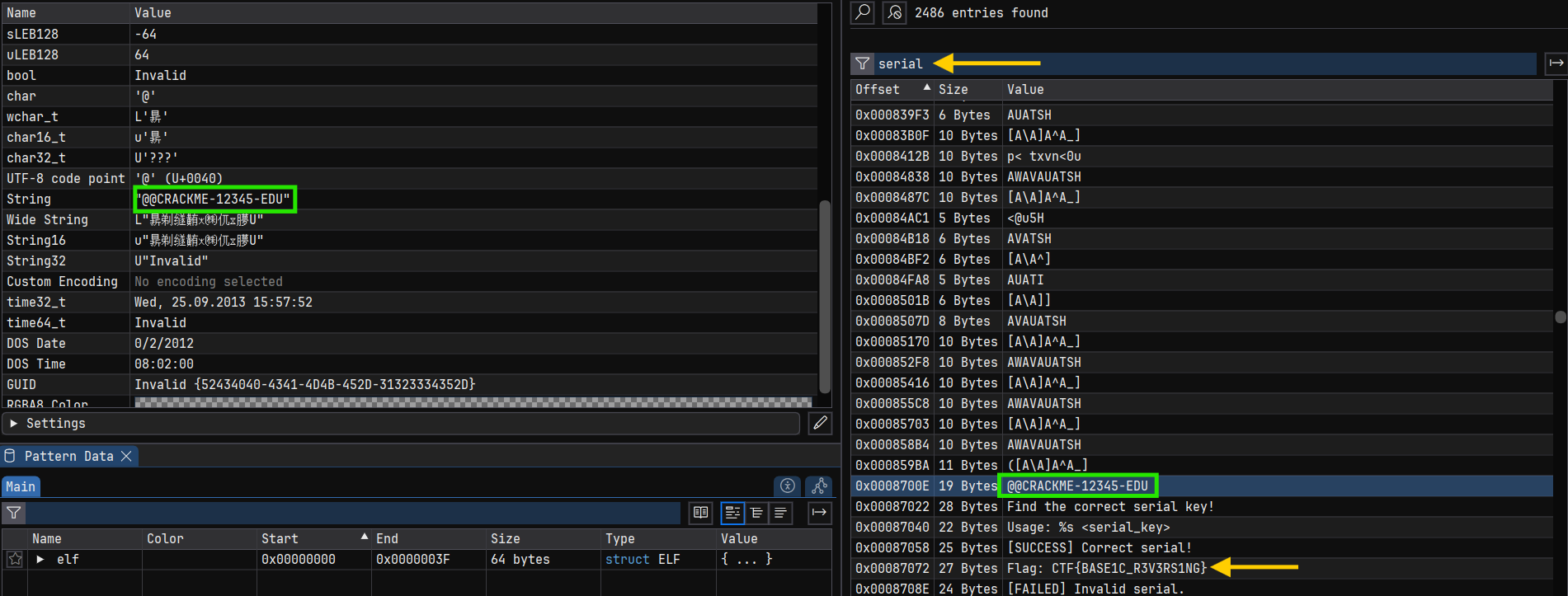 ImHex strings view filtered on “serial”. the serial lives at 0x8700E, right above the program’s output strings
The entry reads @@CRACKME-12345-EDU. The two @@ characters sit at the boundary of the .rodata section, which is where an ELF binary stores constant data. They are a section alignment artifact. The serial is CRACKME-12345-EDU.
Finding: The serial is stored as a plaintext string in
.rodataat offset0x8700E. The binary compares the user’s input directly against it with no transformation.
The Solve
01 - Run strings, note the flag and the hint
strings crackme1 | grep -iE "serial|flag|hint" surfaces the user-facing messages. The flag is visible in the output. The hint confirms the serial is hardcoded and points to strings and a hex editor.
02 - Open the binary in ImHex and search for the serial
Filtering the strings view on “serial” puts the target entry one line above the program’s output messages. The value at offset 0x8700E is @@CRACKME-12345-EDU. The @@ characters are a section boundary artifact at the start of .rodata. The serial is everything after them.
03 - Run the binary with the serial
chmod +x crackme1 && ./crackme1 CRACKME-12345-EDU prints [SUCCESS] Correct serial! followed by the flag.
Serial: CRACKME-12345-EDU
Flag: CTF{BASE1C_R3V3RS1NG}
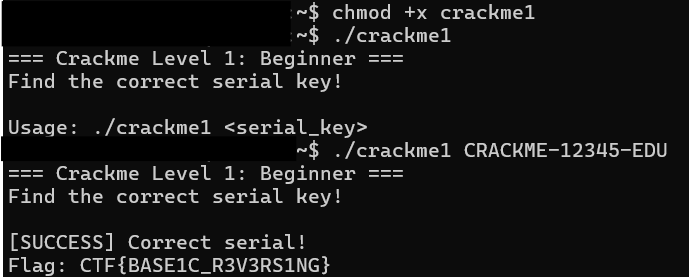 the binary accepts the serial and prints the flag
Takeaways
Level 1 is deliberately generous. The binary includes a hint telling you exactly what to do, and the serial sits in plaintext in .rodata. The point is to get comfortable with the first moves of static analysis: file to understand the binary, strings to pull out readable content, and a hex editor to inspect the data section directly.
The flag showed up in strings output immediately, which could send you in the wrong direction. The binary stores its output messages and its expected serial in the same section. Reading carefully and running the binary with a test input both help you tell them apart. That habit carries forward into every level after this.